Roll on display….
August 19th, 2010With the routines of J.P. Duval made also the Roll working on the display. And very fast. Instead of a black and red line, like on the compass, one single black line is drawn. And when a new reading has to be displayed, the old one is overwritten by a white line and a new one is drawn. Nothing fancy yet, just a line and the numbers at the bottom.

Compass working!!
August 16th, 2010From the information coming from the Arduino Mega 9DOF Bluetooth made a compass on its Nokia 6100 EPSON and PHILIPS display. Used some fine routines from a clock made by J.P. Duval. Found it as an Application Note in the Bascom-AVR forum. Not a lot had to be changed to have it work as a compass. Made a splash screen, and a background picture with N/O/Z/W on it. It is working perfectly. Still all information from the 9DOF software is sent to the bluetooth module so you can combine this compass with the information in the Phython screen. Our next step is a Pitch and Roll display.


Display on Arduino Mega 9DOF
August 8th, 2010Nokia 6100 (Epson) display working on the Arduino Mega 9DOF Bluetooth. 132 x 132 pixels. We had to make a small DC-DC step-up converter to make 9.5 volts from the Arduino 5 volts. First a test with a MC34063 but later a better result with a MAX202.

Arduino and VDIP1
August 1st, 2010A few month back have done some work on AVR and Vinculum VNC-1LA on the AVR Ethernet I/O board. Having the VDIP1 USB Host Controller still arround, I have searched the Internet for a way to connect it to the Arduino.
http://rpgduino.wordpress.com/2010/03/27/vdip1-usb-host-controller/
Makes use of a NewSoftSerial library with CTS and RTS. Going to do some benchmark test with lots of data.
Bluetooth class 1 and 2
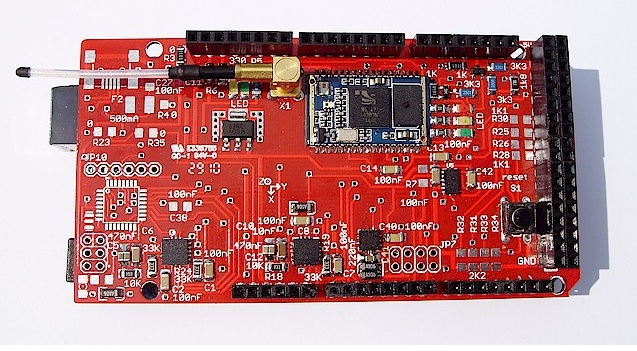
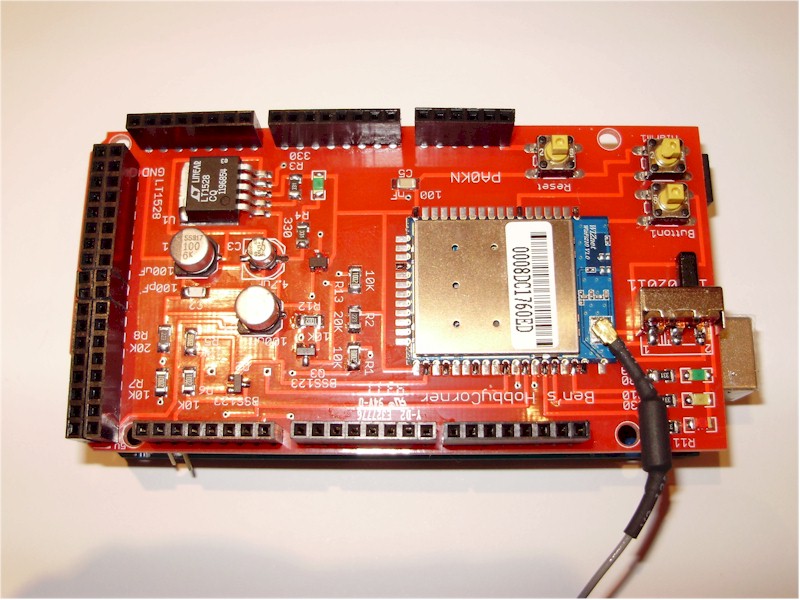
July 29th, 2010Left top, Arduino Mega 9DOF Bluetooth with Class 2 BTM-112 bluetooth module. Left bottom, one with a Class 1 BTM-222 bluetooth, and at the right a complete board with BTM-112. We still have to make a standalone with SMD Atmega328p. Parts are on their way…. The antennas, 31 mm. These are all the same boards, on the top a BTM-112 or on the bottom a BTM-222. 30 meters or 100 meters.
More details at http://members.home.nl/bzijlstra

Bluetooth working….
July 28th, 2010Bluetooth working on the Arduino Mega 9DOF Bluetooth Shield. Had to put the BTM-112 in slave mode, and had it communicate on 57600 baud. Here a small program to put it as slave (ATR1), and with a ATL4 you put it on 57600 baud. And while I was busy with an ATN= I have changed it’s name. After that you have to cycle the Arduino Mega power and the new settings are working. On your PC or Laptop do a discovery of Bluetooth devices and you will find your Arduino Mega 9DOF Bluetooth. If you have not changed the PIN-code, with a 1234 your will get a connection. An invisable wire… We bought the module at http://www.tme.eu , before they had only a class 1 and a class 2 module, but after a check today we have seen there are a lot of new modules. In the 9DOF AHRS Arduino software change all Serial.print into Serial1.print, make the bluetooth connection to your PC or Laptop, change the Python (IMU_Razor9DOF.py) line to get the right COM-port on 57600 baud and of you go… Will make a new movie tomorrow…


Arduino Bluetooth connecting…
July 27th, 2010Arduino Mega 9DOF Bluetooth connecting to a Bluetooth GPS-mouse. C is not my native language but it works. On the Arduino Mega 9DOF Bluetooth Shield, the green LED is always on, the yellow LED is on when there is a connection, and the red LED is blinking while searching for the GPS Mouse (GlobalTop), but stays on when connected. On the Arduino Mega LCD you can follow the initialization of the Bluetooth connection. 
Movie
July 27th, 2010Movie of a working Arduino Mega 9DOF Bluetooth Shield. Direct connected to the PC, with the Arduino software in it.
Action pictures….
July 26th, 2010Some action pictures of assembling the Arduino Mega 9DOF Bluetooth shield…. The big trick, to get the sensors on the board, is to make a mix of solder paste and flux. Get the solder as flat as possible on the sensors. After that flatten the pads on the PCB. While using a lot of flux, put some pressure on the sensors and let them sink into the solder. If you are not a experienced SMD technician “Don’t try this at home”. On the other hand, why not give it a try. For the ADXL345 and HMC5843 use the I2c-scanner to check if they are seen on the Arduino Mega. On address &H3C and &HA6 you should see both sensors. The I2c-scanner can be found on my homepage, adapt it for the Atmega1280. And about the LY530 and LPR530, when you fixed them measure the filters. You should see some 2 volts. There was a suggestion on the internet to increase the capacitor of the HMC5843, we have seen a big improvement after changing the 10 uF to 20 uF. We have added a 220 nF to the AREF of the Atmega1280. We still have to test the board as a standalone board with an SMD Atmega328p, with an Arduino bootloader.